What to Do If Microsoft Email Stops Working
What to do if Microsoft email stops working: compare a spare address, a backup, and a continuity service before the next outage.


What to do if Microsoft email stops working is to use a path you already tested: a spare address, a backup for mail you already have, or a continuity service that keeps the company address working.
Last week’s Microsoft Outlook outage left affected businesses unable to use their company email. The Register reported that Microsoft later restored service to the remaining customers. Service came back. Sitting around waiting for that is not much of a plan for next time.
Listen, we’re not saying it’s going to happen again anytime soon. We really don’t know. It could be Microsoft one week and Google the next month. Switching providers doesn’t make the possibility of an outage disappear.
So what can we do to close the gaps? That’s the interesting question, and there’s no single answer that covers every business. There are, however, a few things that can help. The right mix depends on what your team needs to keep doing, how much disruption you can live with, and what you’re willing to spend.
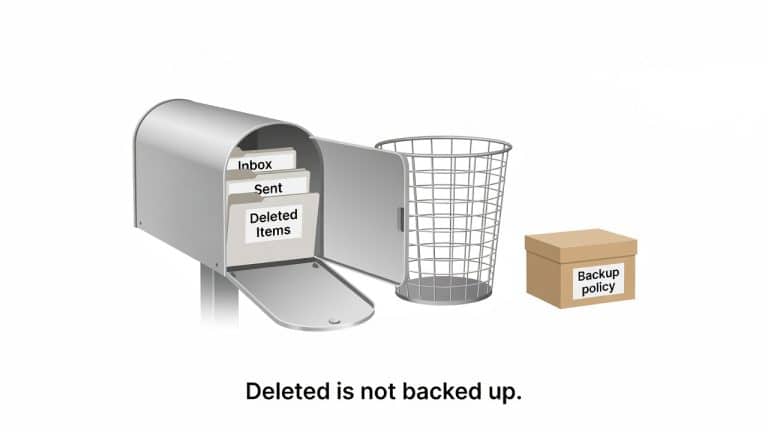
A backup belongs in that conversation, but it won’t keep you sending email during an outage. It protects messages you already have. You also need to think about how you’ll send and receive new ones while your usual service is down.
What to do if Microsoft email stops working
Here are the options worth considering, where they fall short, and what to test before you need them.
What to check first
Before you change anything, find out how wide the problem is. If one person cannot open mail and everyone else can, start with that mailbox, that device, and that sign-in. If the whole office is down, stop treating it like a forgotten password.
Try the mailbox a second way. Open Outlook on the web, or the phone app on cellular, not only the desktop program on the office network. If web mail is down too, the desktop app is not the problem.
An admin who can still sign in should look at the Microsoft 365 service health page before anyone edits mail settings. If Microsoft has already posted an incident, a DNS change will not speed that up. It can make the return worse.
Do not reset every password as the first move. Do not publish a brand-new address in a hurry if nobody has tested the login. Use the path you already set up. If you do not have one yet, the rest of this guide is the work to do before the next outage, not during this one.
A spare address, set up before you need it
The simplest option is a second mailbox on a provider that isn’t Microsoft. You create the account, make sure the right people can sign in to it, and tell the contacts who matter that it exists. On the day the company mailbox stops, that’s the address you write from and the one your key contacts can write back to.
Mail sent to your company address won’t arrive there on its own. Your mail history doesn’t carry over, and messages you send from it won’t show up in your sent items in Outlook. When Microsoft comes back, whatever landed in the spare mailbox stays there until someone moves it. And if the person you’re trying to reach is having the same Microsoft outage, your spare address can’t fix that for them.
Two details decide whether it works when you need it. The first is sign-in. The spare address needs its own login, a recovery method that does not depend on Microsoft being up, and a second factor that still works.
Do not count on a code or a recovery message sent to the company mailbox, because that mailbox is the one that is down. An authenticator app that generates codes on the phone can still work, including Microsoft Authenticator when those codes are already on the phone and do not need Microsoft to be reachable.
The second is notice. Telling key clients and vendors about the address, or listing it in an emergency contact plan, does far more good than announcing it in a hurry on the morning things go wrong.
It is usually cheaper and simpler to maintain than a service that keeps your company address running, but someone must keep access and contact details current.
What a backup is for
A backup protects mail you already have: a message someone deleted, a mailbox that has to be restored, a record you may need later. Some independent backup tools let you read or export that mail on their own system during an outage, which helps if you need to find an old thread.
That still isn’t normal send and receive, so it shouldn’t be your plan for how the office works through the day. We’ve covered protecting your existing mail in our Microsoft 365 backup guide.
Keeping the company address working
Some businesses can’t lean on a spare address. If a client will only write to the company address, or expects replies to come from it, a new address in an urgent moment may look unfamiliar or even suspicious. For that situation you need a different kind of product: a continuity service that can accept mail for your domain when Microsoft can’t, and let you keep sending as that address in the meantime.
This has to be arranged in advance. Mail routing, DNS records and authentication must already be configured, and the service needs to have been tested. How it queues incoming mail, how sending works, and how mail is handed back to Microsoft afterwards all vary by product, so ask the vendor directly rather than assuming.
It also isn’t an automatic full sync of your mailbox. And it isn’t something to stand up during an outage, when DNS changes and testing take time you don’t have.
The cost is usually a recurring license plus setup and support. Whether that’s worth paying depends on what it costs you when clients won’t write to an address they don’t recognize. For some firms that’s a real risk. For others, a spare address that people already know about covers the urgent mail perfectly well.
Who runs it
Deciding who looks after this isn’t a separate technology choice. It’s the same continuity path with someone responsible for it. An IT provider can set it up, keep an eye on it, and confirm it works ahead of time, so the owner isn’t the one changing mail settings on the day Outlook is down.
Handing it to someone else doesn’t change any of the limits above. Before you rely on it, ask who controls the domain, who gets the call when mail stops, what the vendor can actually do, and what the last test showed.
A short test worth doing
Whichever option you choose, try it before you need it. Sign in with the spare address’s own login, and use a second factor that still works without the company mailbox. Send a message from it and make sure a reply comes back.
If you’re using a same-address product, confirm that mail held during the test is handed back to the Microsoft mailbox the way the vendor says it will be.
Email is one part of a broader continuity plan. There’s a longer piece on that, written for law firms, here: disaster recovery and business continuity for law firms.
Who should know the spare address
A spare address that only the owner knows about is not a plan. The people who send urgent mail need the login, or a written way to reach the person who has it. That list is short. It is not the whole company.
Tell the clients and vendors who cannot wait a day. Put the address in the emergency contact note those people already have, not in a new email sent the morning Outlook is down. If a receptionist or office manager is the one who will actually send the message, that person needs the login before the outage.
Write down where the recovery codes live, and make sure that place is not the company mailbox. A password manager the owner can open on a phone is enough. A sticky note is not. Review the list when someone leaves, the same way you would review who has a door key. If that note is missing, the spare address will not help on the day you need it. One named person should own that list, and a second person should be able to open it.
Make a plan before the next outage
Use last week’s outage as a reason to check your plan now. Make sure you know who can send while Microsoft is down, where mail sent to the company address will go, and whether you’ve tested the alternative. If you’re unsure which option fits your business, STG can help you work through those questions before another outage puts the plan to the test.

The team in West Hollywood.