IT Support Architects, Engineers, Constructors
Core IT Services Tailored for LA-Based A&E Firms and Construction Companies
Empowering A/E/C firms with scalable, secure, and specialized IT solutions
STG Infotech stands as a trusted partner for A/E/C firms in Los Angeles, offering tailored IT solutions that address industry-specific challenges and drive business growth.

Optimizing Industrial Operations with Premier IT Solutions
Los Angeles has always had its thriving industrial sector, and as a Premier IT Provider in the region, servicing that industry has become our specialty. STG Infotech works with numerous companies in the A/E/C field and is experienced with industry-specific technologies—making us the ideal IT partner for large and growing firms.
Sharing a large number of large files? Of course, you are; that’s a standard part of operations. Collaborating on large drawings, renderings, and schematics among your staff and outside contractors is a basic requirement of your business. We have years of experience crafting solutions that will make your digital process fast, secure, and reliable. From high-end data storage solutions to robust backup and recovery plans, we can help you keep those large, critical files safe and accessible.
Why A/E/C Firms Choose Our IT Support Company:
- Customized IT Infrastructure: Leverage IT systems designed specifically for the A/E/C sector, enhancing productivity and project delivery timelines.
- Robust Collaboration Tools: Facilitate real-time collaboration on large-scale projects with secure file-sharing systems and cloud-based platforms.
- Optimized Data Management: Implement high-capacity storage solutions and automated backup systems to safeguard critical project data and ensure quick recovery.
- Regulatory Compliance: Navigate industry regulations with confidence through our compliance-focused IT frameworks, ensuring adherence to standards like ISO and OSHA.
- 24/7 IT Support: Experience uninterrupted operations with our round-the-clock monitoring, maintenance, and support services.
Interested in learning how we can help your business fuel its growth?
Complementary IT Assessment
"*" indicates required fields
Want to know what to look for when selecting an IT company?
Industry-Specific IT Infrastructure Management for A/E/C
If your business exists in the Architect, Engineers, and Contractor sector of Los Angeles, you handle large files. You need more than a powerful tool; you need a robust IT infrastructure and support to back them. STG Infotech evolved from a background of crafting custom solutions. We don’t just appreciate the art of building lightning-fast computers – it’s our forte. As authorized partners with the largest computer brands, we specialize in tailoring high-performance design workstations to tackle any task. We take pride in the power we can bring to our clients.
Sure, you could opt for a run-of-the-mill IT company and possibly get decent results, but ‘decent’ only gets your business so far. When you work with an industry expert like STG Infotech, you will see your productivity and profitability surge. Leverage our power and expertise towards your goals – we’re more than happy to help.

Why Choose Us
Industry Expertise
Our team comprises of industry professionals with extensive expertise in A/E/C IT solutions, software, and technology.
Reliable Service
We guarantee uninterrupted support and proactive monitoring that minimizes downtime and maximizes productivity.
Customized Solutions
Our approach is not one-size-fits-all; we personalize our services to align perfectly with your business requirements and goals.
24/7 Support
We offer round-the-clock support to ensure that your systems are always up and running when you need them.
Client Reviews
LA IT Support
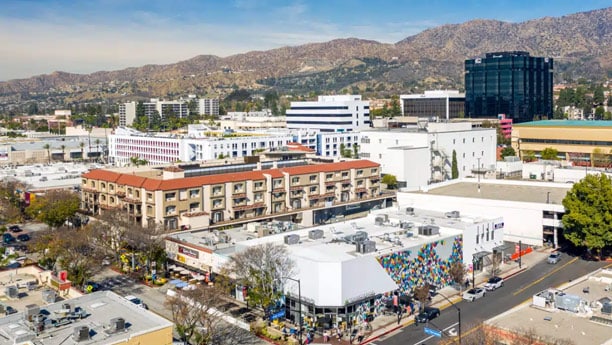
Locations We Serve







Are You Tired of Slow and Unresponsive IT Companies?
Let us show you fast, friendly, and professional Los Angeles area IT Support.
Key Benefits of IT support for Architecture, Engineering, and Construction (A/E/C) Firms in Los Angeles
Improved Productivity
- Fast, secure access to large files (CAD, BIM, PDFs)
- Reduced downtime from system or network issues
- Real-time collaboration tools for remote teams
Enhanced Data Security
- Protection against ransomware, phishing, and data loss
- Regular backups and disaster recovery plans
- Compliance with industry regulations (e.g., ISO, NIST, local privacy laws)
Streamlined Project Management
- Integrated software platforms (AutoCAD, Revit, Bluebeam)
- Centralized data storage and version control
- Mobile access to project data from job sites
Reduced Operational Costs
- Predictable monthly pricing with managed services
- Less need for internal IT staffing
- Optimized licensing and hardware utilization
Scalability and Growth
- Infrastructure designed to scale with new projects or teams
- Seamless onboarding for new employees or offices
- Cloud adoption enables flexible, remote operations
Vendor and Software Support
- One point of contact for tech support across all devices and platforms
- Vendor liaison for hardware, software, and internet issues
- Helpdesk support for troubleshooting and updates
BLOG
IT Advice and Tips
-

How to Write an Incident Response Plan for Businesses (Before the Incident Happens)
What’s worse than a cyberattack? Not having a plan when it happens. If you want to protect your company from chaos, learning how to write an incident response plan for…